Search hours of CCTV footage
in seconds
Grablo Spot is free AI NVR software for the cameras you already have. It records your cameras, categorizes the people and vehicles they capture, lets you follow a person or vehicle across cameras, and adds search by appearance, face, text, attributes, or license plate.
Install it, connect your cameras, and you’re ready.
No credit card required · Unlimited cameras · Every feature free
Stores · offices · warehouses · parking lots
Select a person or vehicle from the list,
follow them across cameras
Front door 19:04 → Checkout 19:06 → Stockroom 19:11. When and where they were, on one screen.
Find people and vehicles
Find people by appearance, face, text, or attributes. Every scene they appear in, from every camera, comes together in one place. Find vehicles by appearance, text, or license plate, even with a partial plate.
Search by appearance
Find a person by overall look, such as clothing, build, and what they carry. It works even when the face isn't visible.
Select the person in the frameSearch by face
Find other scenes of the same person. No need to register faces in advance.
Pause playback and select a faceSearch by text
Describe what you remember in plain words, like "person in a blue jacket," and Grablo Spot finds matching scenes.
Type what you rememberSearch by attributes
Filter by clothing color, bag, hat, glasses, or age group, and combine several at once.
Pick only what you knowGet notified when a person
or vehicle appears
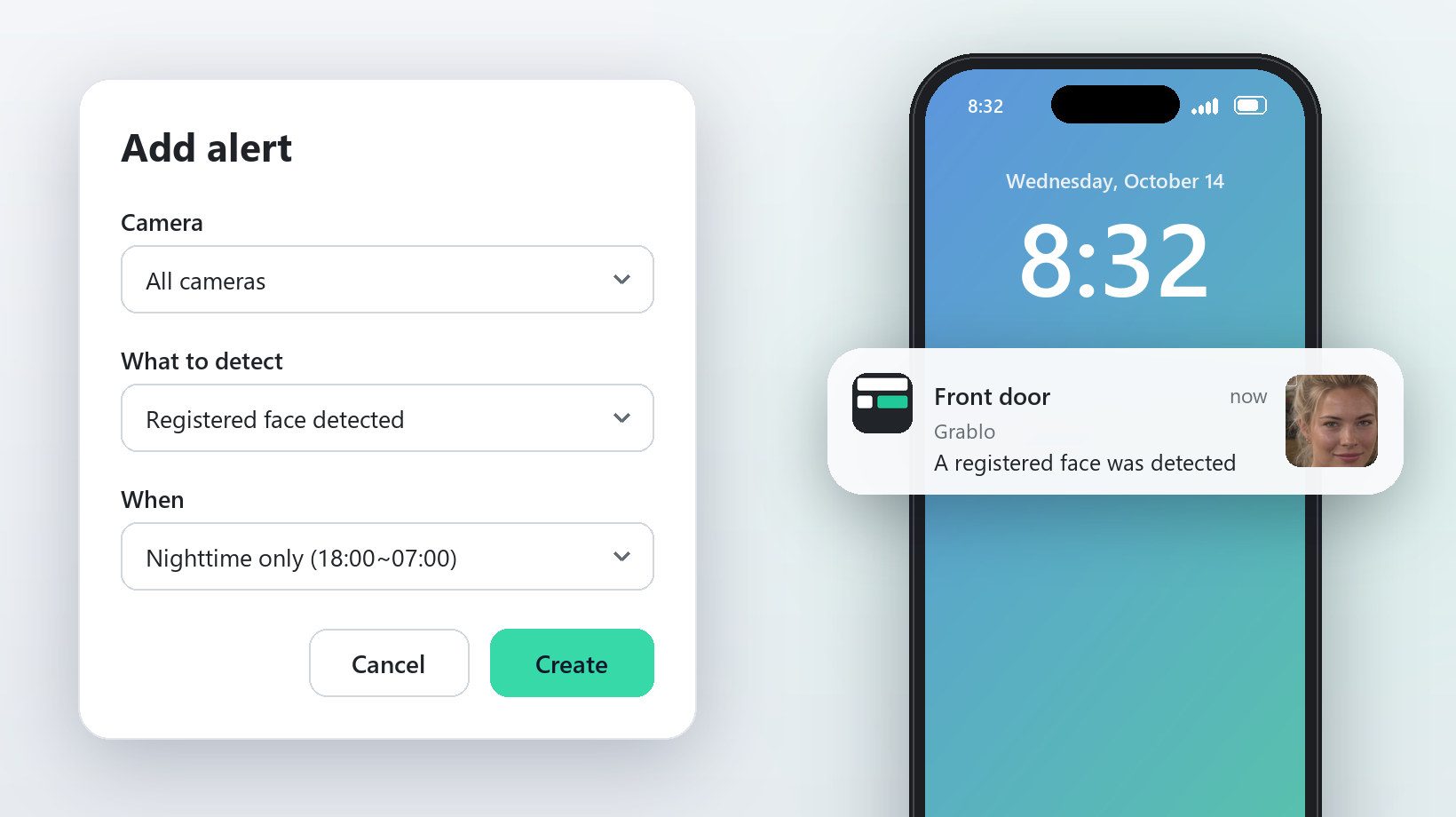
Choose what to watch for and when: a registered or unregistered face, a registered vehicle, or a specific vehicle. You get an alert on your phone the moment it appears.
Connect the cameras
you already use
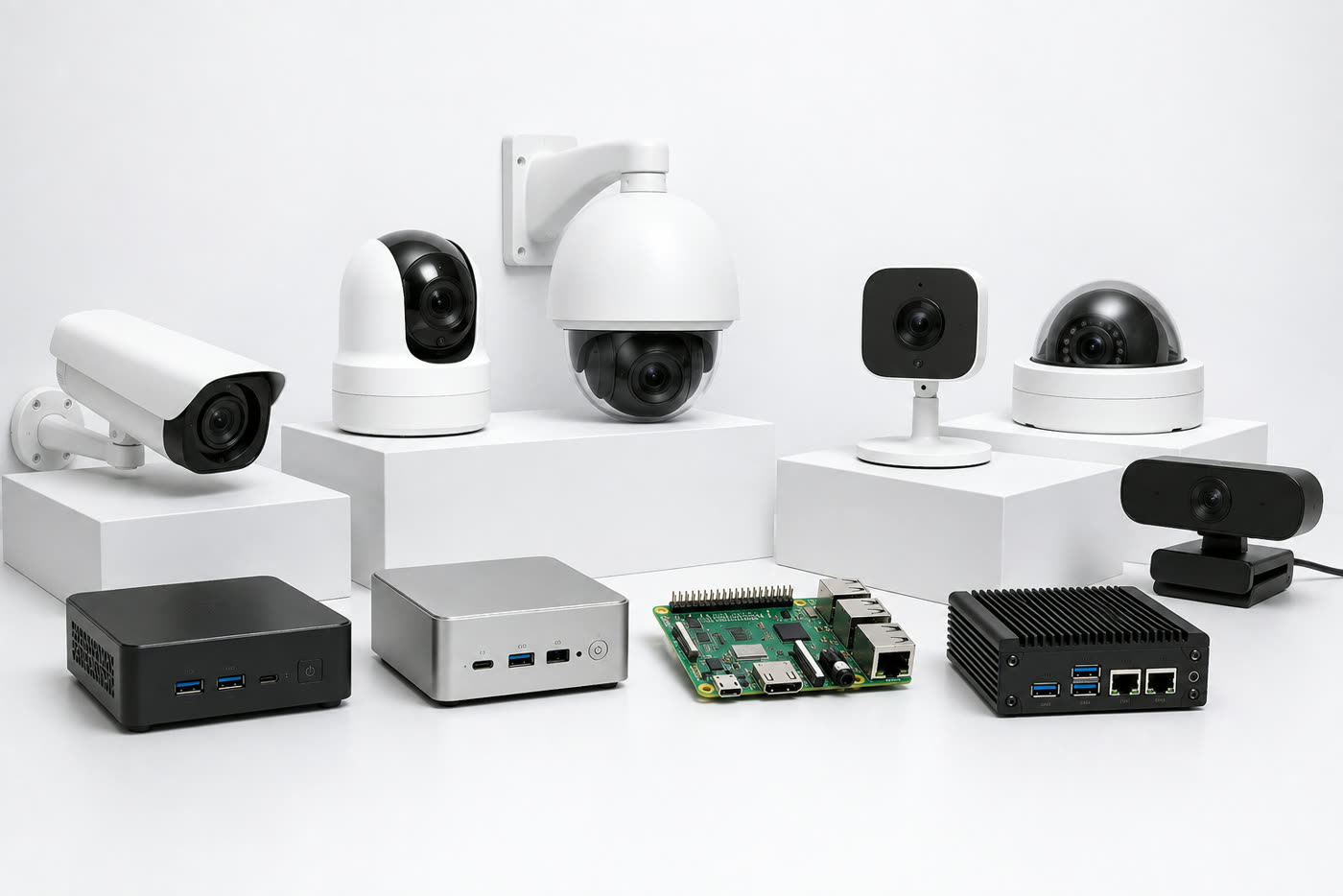
Connect the IP cameras, NVRs (RTSP, ONVIF), and USB webcams you already have, and install it on a Windows PC, a Mac, or a board like a Raspberry Pi.
- Guided setupThe app walks you through each step on one screen: connect the device, choose recognition features, add cameras, and start.
- No NVR or server neededGrablo Spot records on your own hardware.
- View from anywhereNo port forwarding or static IP needed. View on your phone or browser.
- Automatic camera discoveryONVIF cameras on your network are found automatically.
Frequently asked questions
- Is it hard to set up?
- No. Install Grablo Spot, then follow the steps in the app to connect the device and add your cameras. ONVIF cameras on your network are found automatically.
- Is my video stored in the cloud?
- No. Video and AI analysis stay on your own device. When you view them in the app, they are encrypted in transit and never stored along the way. Only the photo attached to a phone alert passes through the Grablo server to deliver the notification.
- Is it really free?
- Yes. Every feature is free. On most home and office routers, your phone connects directly to your device, and viewing is unlimited and free. Plans differ only in the relay server allowance, used when a direct connection isn’t possible. See Pricing for details.
- Can it record 24/7?
- Yes. For each camera, choose Always (continuous 24/7 recording) or When detected (records only while a person or vehicle is detected). The default is When detected. Continuous recording uses much more storage, and the oldest footage is deleted first when space runs low.
- Do I need a separate NVR?
- No. Grablo Spot does the recording. If you already have an NVR, you can also connect its video stream (RTSP) and use both.
- How long is footage kept?
- Choose 7, 14, 30, 60, 90, or 180 days. Anything older is deleted automatically.
- Do I have to turn on face recognition?
- No. It is off by default. Person detection and appearance, text, and attribute search all work without it.
- How many cameras are supported?
- It depends on the hardware. Typically 1 to 2 on an Intel N100 mini PC and about 6 on a 12th-gen Core i5 PC. See Recommended Hardware for details.