General
Block coding can be used in every value input in logic. Clicking the button on the right side of a value input offers four input methods.
- Direct entry: Enter the value as-is.
- Variable value: Use another variable's current value.
- Block editor: Use the result calculated by assembled blocks.
- Lua script: Write Lua code and use its
returnvalue.
All four methods must return a value matching the input's type; a mismatched type causes an error at execution time.
Block Editor
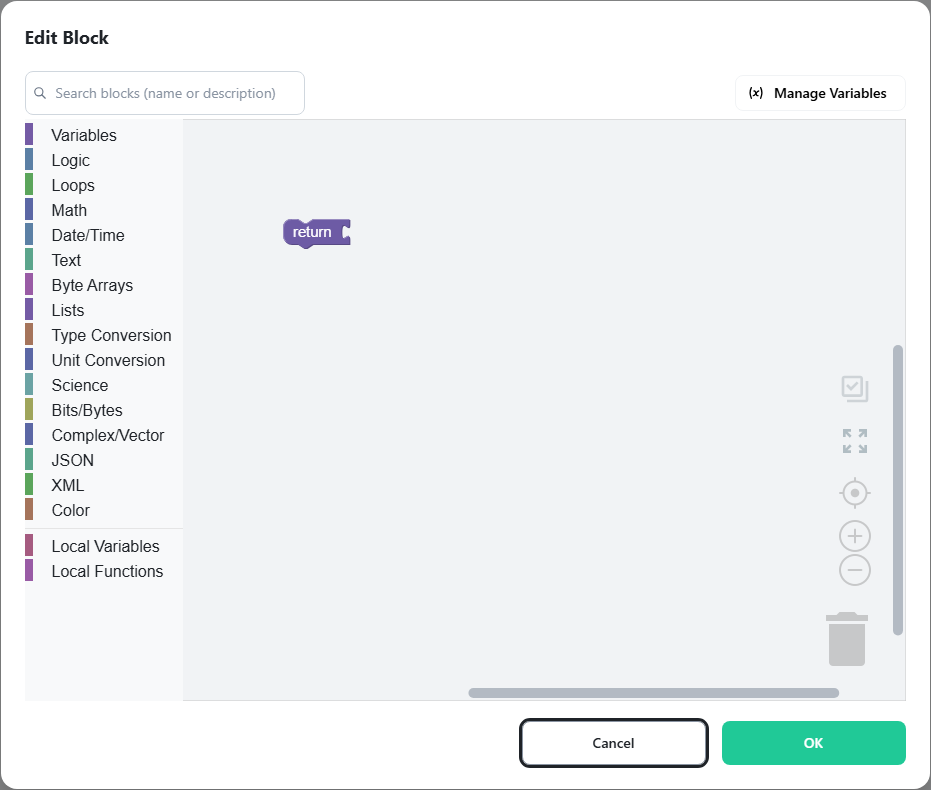
Select Block Editor and click Edit Block to open the editor. The editor consists of a toolbox, where blocks are organized by category, and a workspace, where blocks are connected together.
Working with Blocks
- The return block is already placed in the workspace and is the only path for sending a result out of the block editor. The type of the value connected to it must match the type of the value input.
- Most blocks have inputs or outputs (some have neither). Blocks with outputs are dragged and connected to other blocks' inputs.
- Inputs and outputs have data types, and only matching types can be connected. The data types are the same as variable types.
- Hovering over a block shows its description as a tooltip; right-clicking shows the available commands.
- Blocks with a variable number of inputs (if, text join, list creation, local function parameters, and so on) use the block's gear button to add, remove, or reorder entries.
- Connecting a new block to an input that already holds one pushes the existing block out.
- Shadow blocks are pre-filled for convenience and are deleted automatically when replaced by another block.
- A finished assembly must be fully connected; empty inputs or outputs cause errors at execution time.
- Blocks stacked vertically execute in order from top to bottom, and conditional statements and loops enable more complex calculations.
- The break/continue block can only be used inside a loop block, and a local function's return if block only inside a local function.
Note
Positions and indexes do not start at the same number in every category. Text and lists
count from 1 and return 0 when nothing is found, while byte arrays, bits/bytes,
JSON, and XML count from 0 (JSON returns -1 when nothing is found).
Note
For angles, only the inputs of sin, cos, and tan are in degrees. The outputs of the
inverse trigonometric functions, the hyperbolic functions, coordinate conversion,
vector angles, and complex arguments are all in radians. Use the angle conversion
blocks in the Unit Conversion category to switch between them.