Screen Layout
On desktop, the screen consists of a header and three areas.
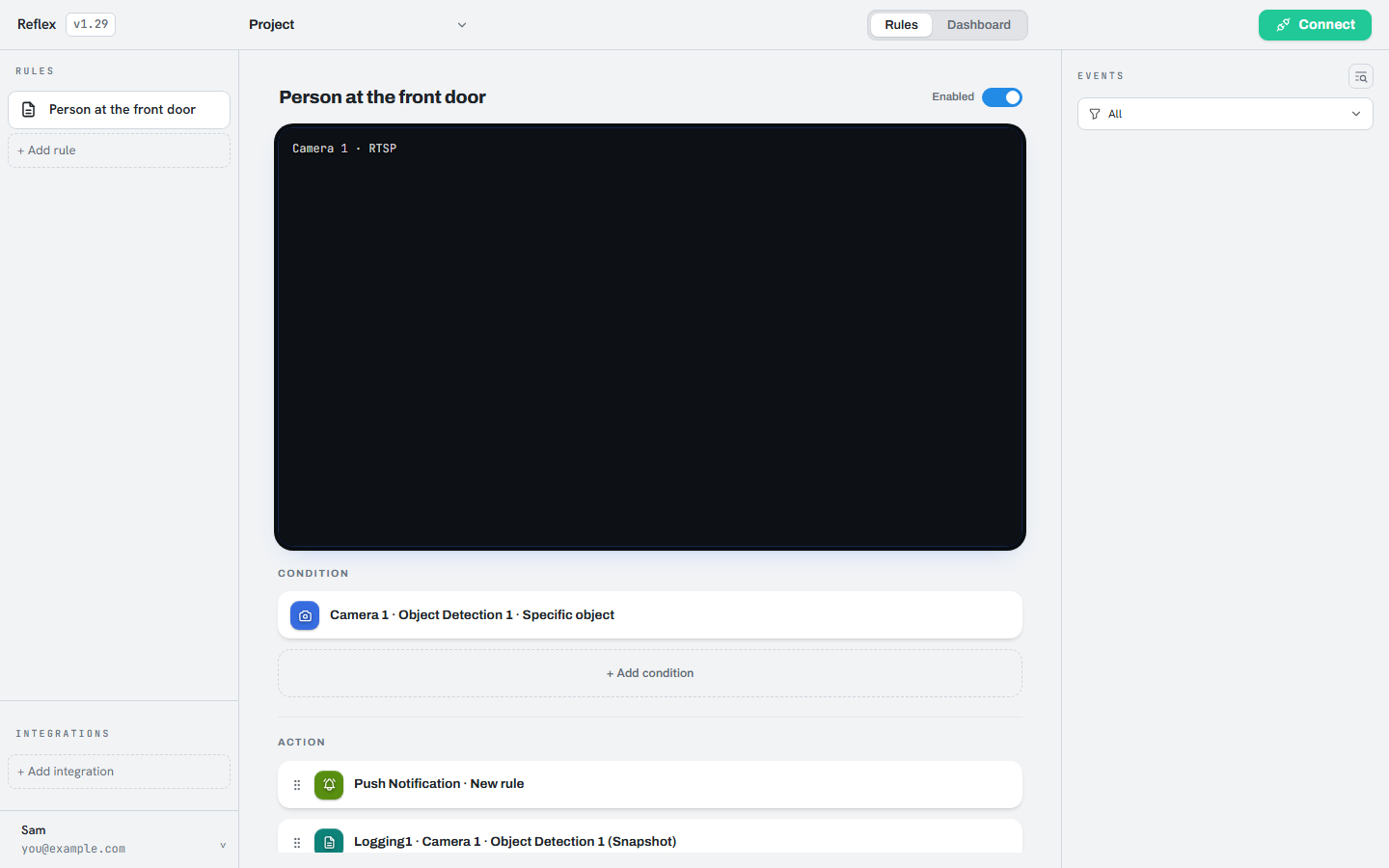
| Area | Contents |
|---|---|
| Header | Project name, the Rules/Dashboard switch, the controller connection button, and the Start/Stop button. |
| Left | The rule list, the Integrations section, and the account menu at the bottom. |
| Middle | The selected rule in full: its cameras, conditions, and actions. |
| Right | Events: recent detections. |
On mobile, the two side areas become panels opened with the buttons at either end of the header.
Caution
Two conditions must both hold before anything runs: the app must be connected to
the controller, and monitoring must be started. A rule that has been created but
never started does nothing. If no events appear, check these two first.