Basic Concepts
Logic and Control
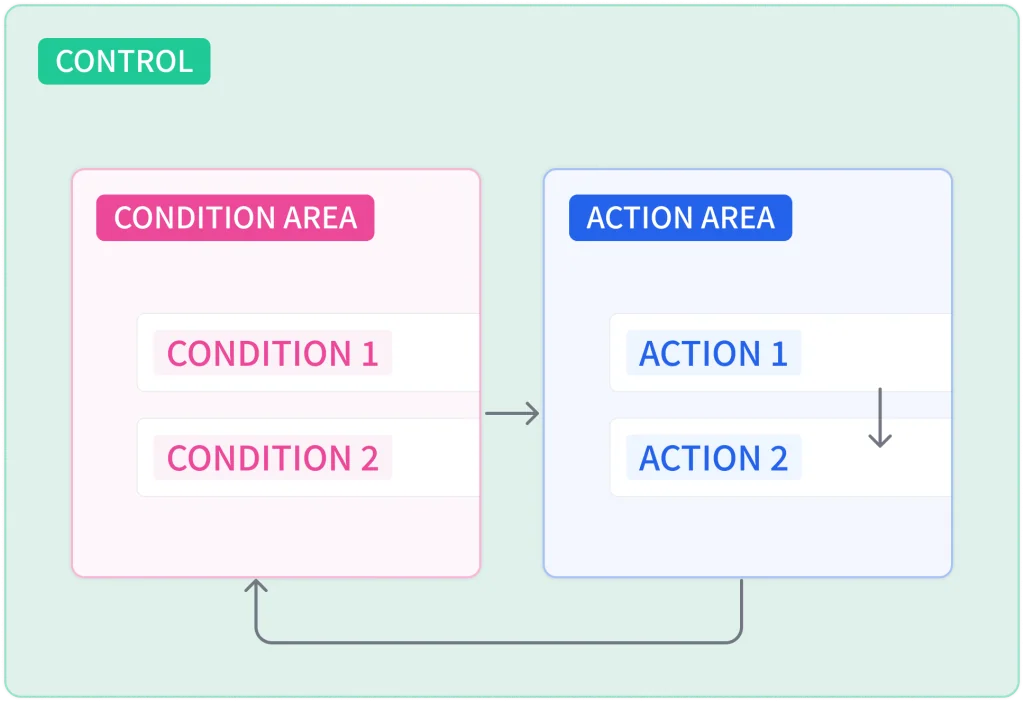
All algorithm blocks are created in a workspace called a logic, and the basic building unit of logic is a control. A control consists of a condition area and an action area. When the condition area is met, the actions in the action area execute in order, and once all actions complete, the condition area is evaluated again.
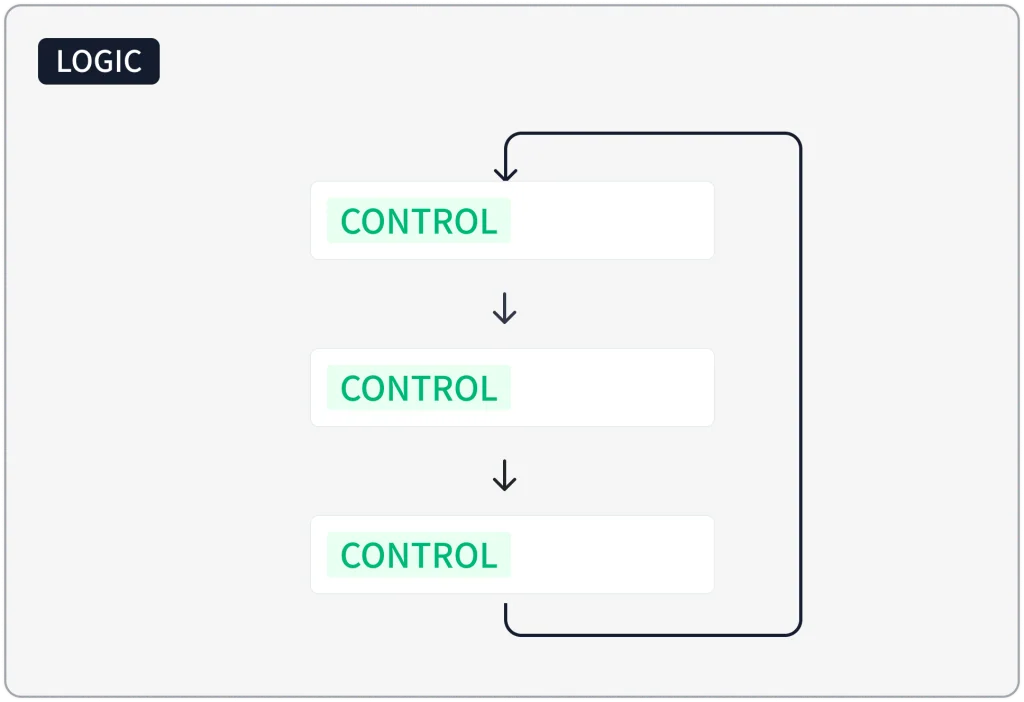
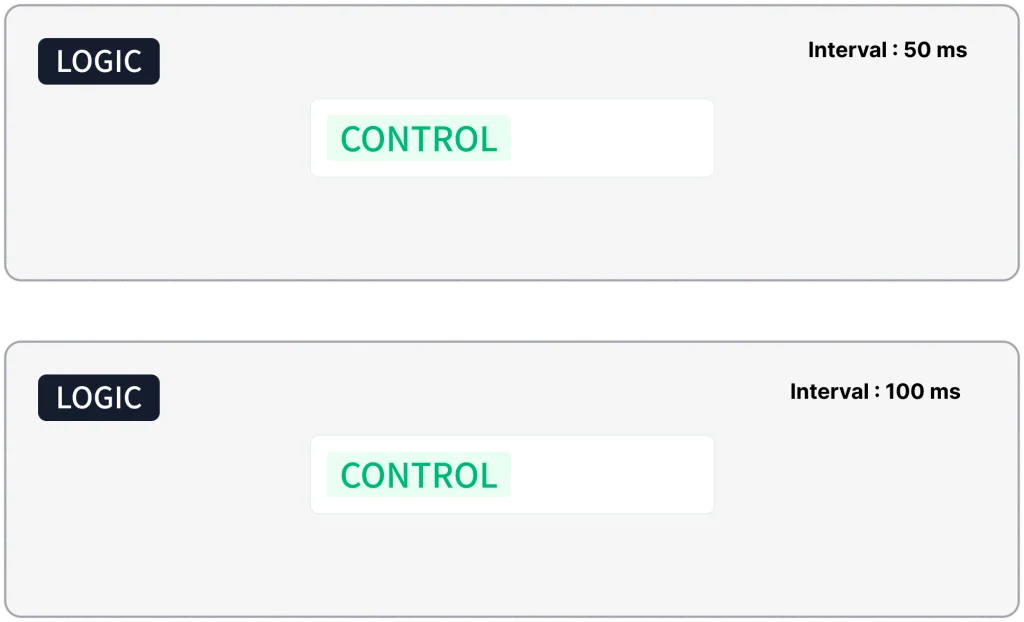
If a logic contains multiple controls, they execute in order from top to bottom, and after the last control completes, execution returns to the first. When a project has multiple logics, all of them run simultaneously in parallel, regardless of order.
Variables
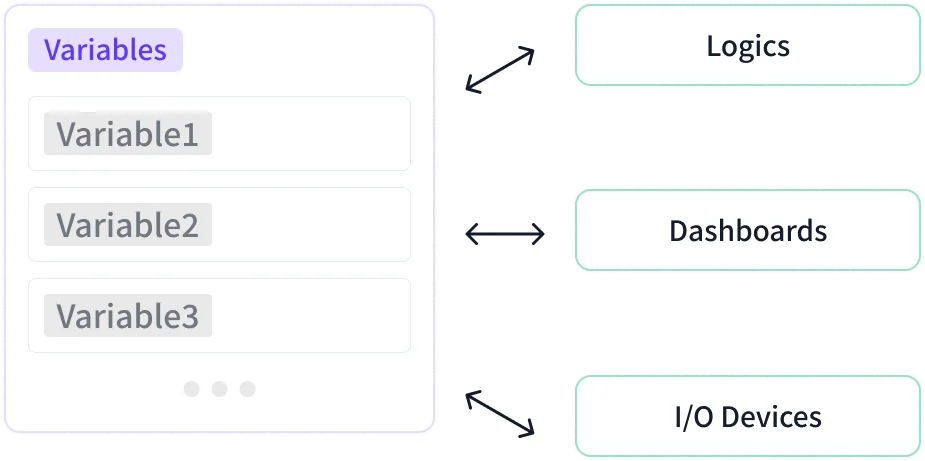
Variables are storage for reading and writing data, shared across the entire project:
logic, devices, and dashboards. For example, if you store a sensor reading in a
variable named temperature, that value can be used directly in conditions
of other logics or in dashboard widgets.
Dashboard
Dashboard widgets read and write variable values. A gauge widget can display a temperature value, and a push button widget can provide user input.