Enabling Face Recognition
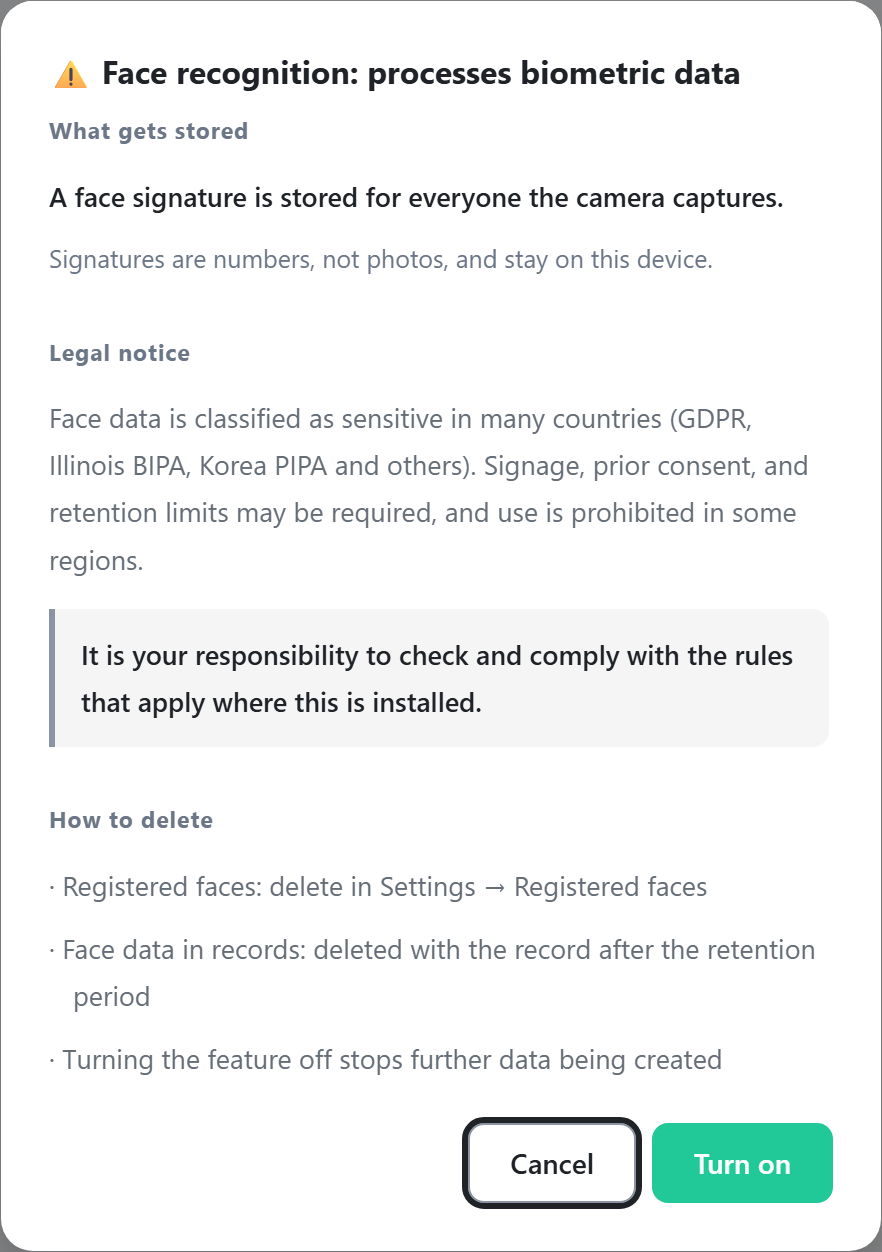
Caution: biometric data is processed
With face recognition on, a face signature is stored for everyone the cameras
capture. Signatures are numeric data, not photos, and remain on this device only.
Face data is classified as sensitive information in many countries (GDPR, Illinois BIPA, Korea PIPA, and others). Signage, prior consent, and retention limits may be required, and use is prohibited in some regions. You are responsible for verifying and complying with the regulations that apply at the installation site.
Face data is classified as sensitive information in many countries (GDPR, Illinois BIPA, Korea PIPA, and others). Signage, prior consent, and retention limits may be required, and use is prohibited in some regions. You are responsible for verifying and complying with the regulations that apply at the installation site.
- Go to the Settings tab.
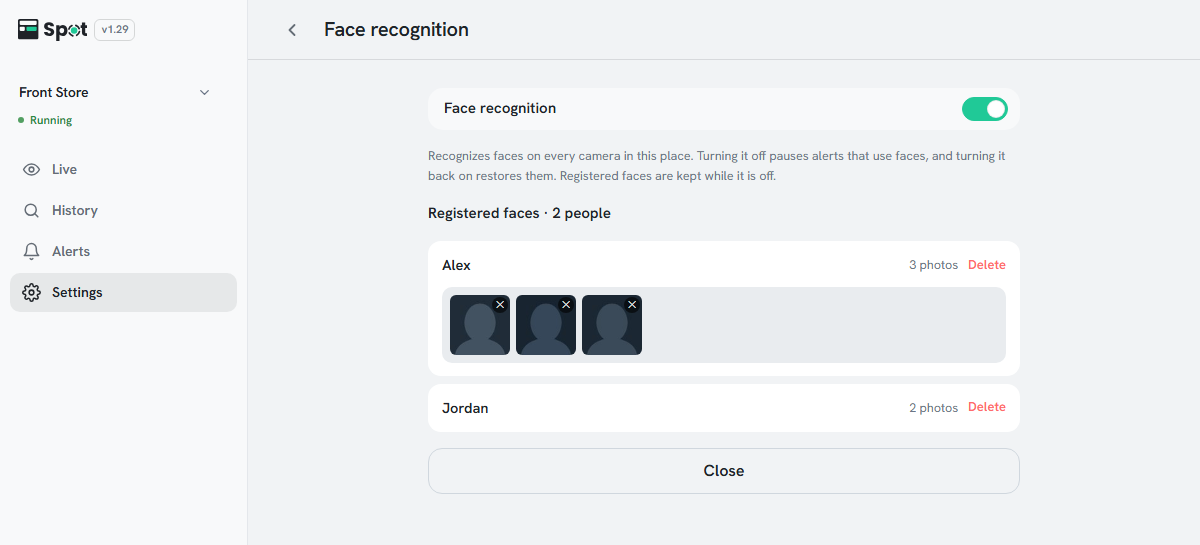
- Click the Face recognition row and turn on the switch at the top. A privacy notice is shown.
- Review the notice and click Agree and turn on.
- Click Save on the save bar at the bottom of the screen. The setting applies to every camera in this place at once.
Note
Face data is included only in recordings saved after the feature is enabled. Faces
cannot be registered from earlier recordings, and finding by face does not cover them. Turning
face recognition off pauses alerts that use faces, and turning it back on restores them.