Action Group
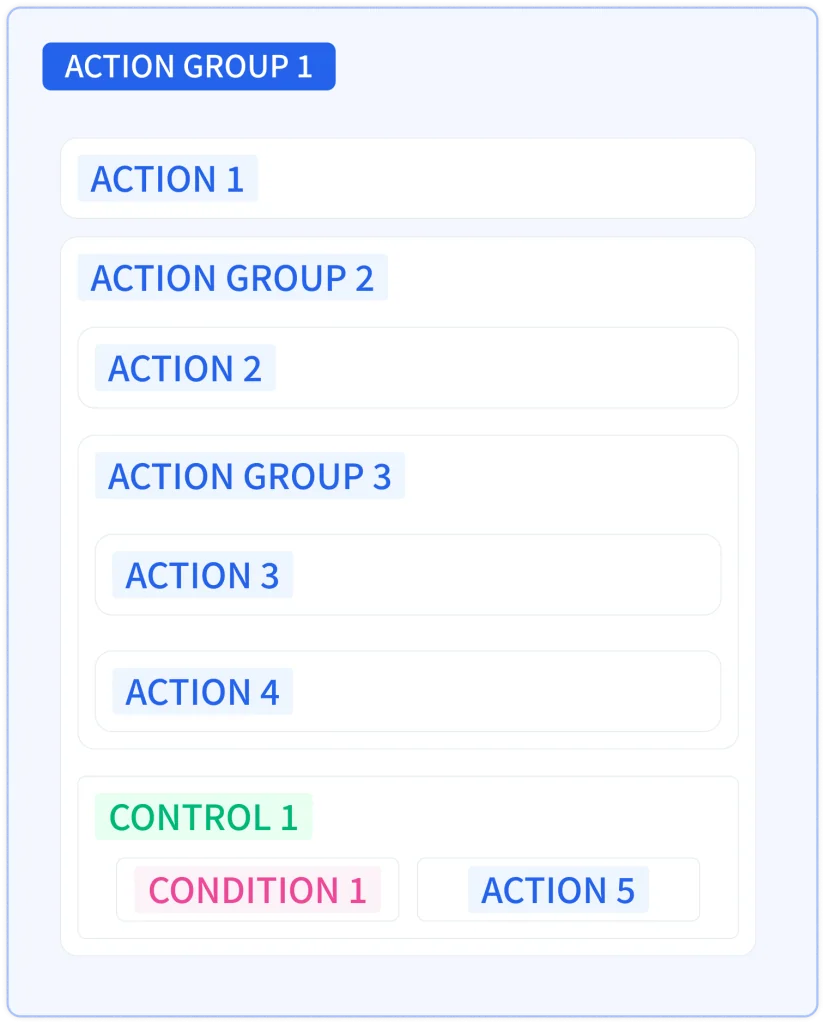
An action group bundles multiple actions and sets how the group repeats: by count, range, condition, or duration. Action groups can contain actions, action groups, and controls, and support nesting.
Add
- When a control's action area or the inside of an action group is empty, select Action Group from the Add Action or Add button shown in that place.
- Where the action area already has blocks, use the + button above or below a block.
Repeat Option
- Repeat by Count: Repeats the group the specified number of times.
- Repeat by Range: Repeats from the start value to the end value, incrementing by the step. The current index is stored in the selected index variable, which must be of numeric type.
- Repeat While Condition is Met: Repeats while the repeat condition is true. The repeat condition is written with block coding and must return a digital value. It is checked at the start of each iteration, so an iteration in progress runs to completion even if the value becomes false.
- Repeat for Duration: Repeats for the specified time. Expiration is also checked at the start of each iteration, so an iteration in progress runs to completion even if time runs out.
Depending on the selected repeat option, the Repeat Count, Index Variable, From, To, Step, Repeat Condition, and Repeat Duration fields are displayed. Repeat Count, From, To, Step, and Repeat Duration can also be given a value with block coding.
| Field | Description | Shown when | Default |
|---|---|---|---|
| Repeat Count | Enter the number of repetitions. | Repeat by Count | 1 (1 to 65535) |
| Index Variable | Select a numeric variable that stores the current index value. | Repeat by Range | Empty |
| From | Enter the value at which the repetition starts. | Repeat by Range | 0 |
| To | Enter the value at which the repetition ends. | Repeat by Range | 9 |
| Step | Enter the amount the index increases on each repetition. | Repeat by Range | 1 |
| Repeat Condition | Write the repeat condition with block coding. It must return a digital value. | Repeat While Condition is Met | Empty |
| Repeat Duration | Enter the time to repeat for. | Repeat for Duration | 5 seconds |
Common Settings and Management
Enabled, Name, and Reverse Execution are the same as for other blocks. A disabled action group does not execute, and any name can be used. An action group can only be moved within a control's action area. Edit, duplicate, copy, cut, or delete it from the right-click menu; deleting an action group also deletes every block it contains, and they cannot be recovered. See Common Block Operations for details.