Control Group
A control group bundles multiple controls into one group and configures how they execute. Control groups can only be added directly under a logic: when the logic is empty, select Control Group from + Add in the upper right; otherwise use the + button shown above or below existing controls and control groups.
Priority Mode
Determines which control executes when multiple controls in the group satisfy their conditions at the same time.
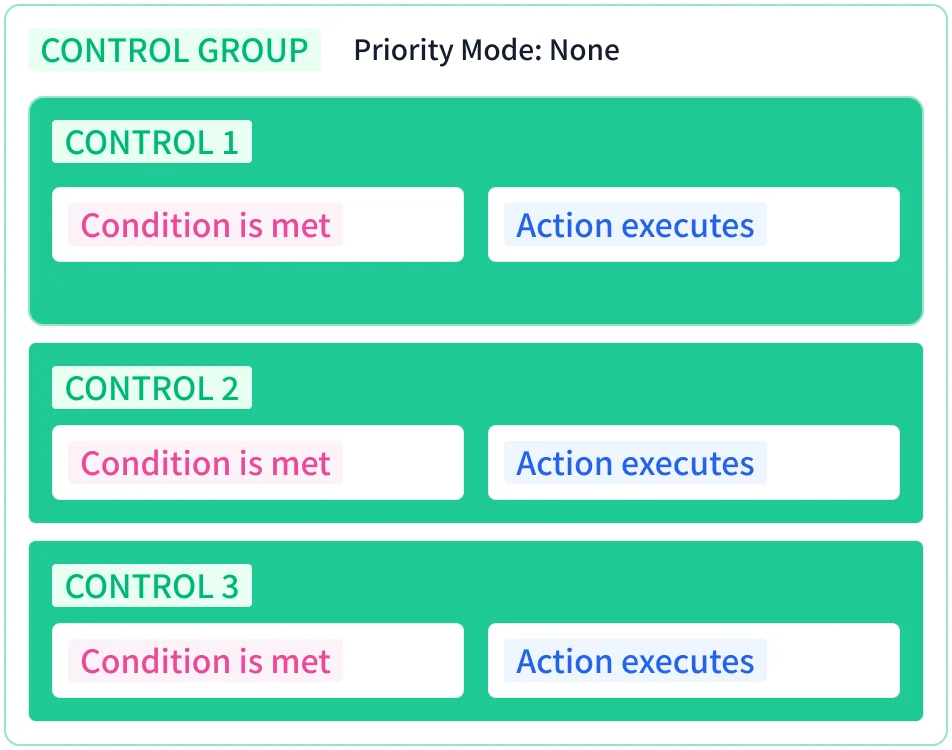
None
No priority is applied. Each control executes in its order within the group when its condition is met.
- Every control whose condition is met executes.
- Controls execute in the order they appear in the group; with Reverse Execution on, the order is reversed.
Priority
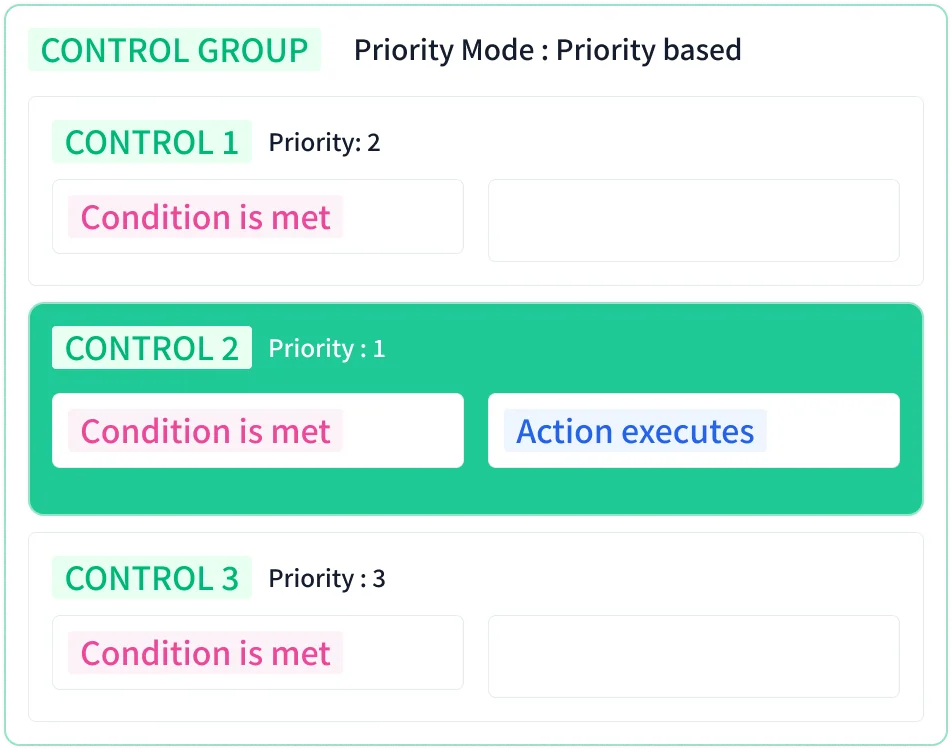
Among controls whose conditions are met, the one with the highest priority executes.
- Lower numbers mean higher priority (priority 1 > 2 > 3). Each control's priority is set in the control's Priority field.
- If a higher-priority condition is met while another control is running, the running control is stopped immediately and the higher-priority control executes.
- After the higher-priority control's actions complete, all conditions are checked again and the control with the highest priority among those met at that moment executes.
First Only
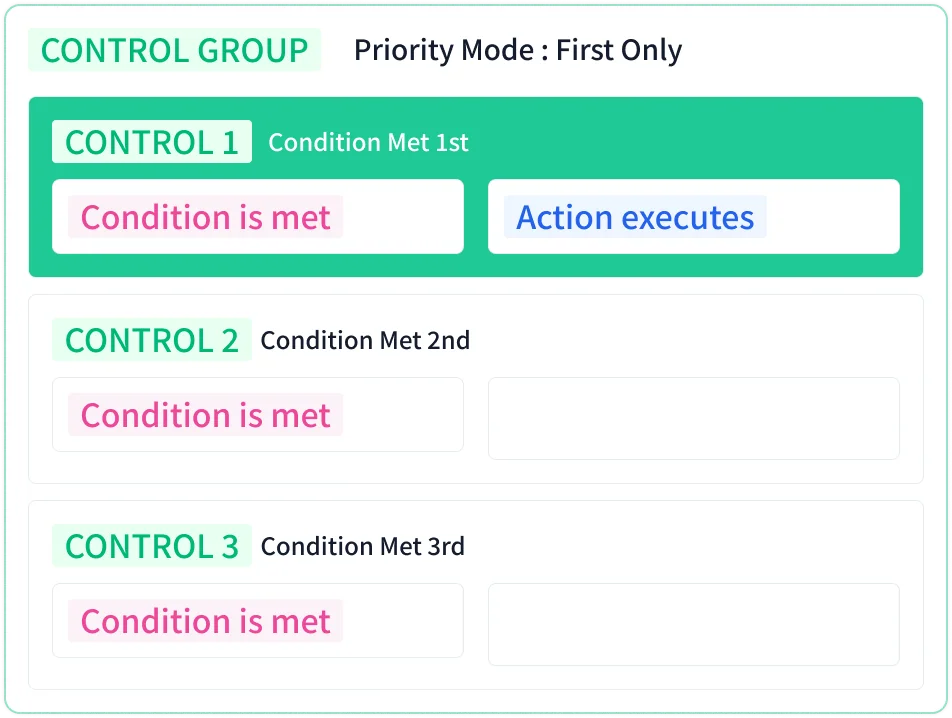
The control whose condition was met first executes.
- After it completes, if its condition is no longer met, the next control that met its condition executes.
- Which control executes is determined by the order in which the conditions were met.
Last Only
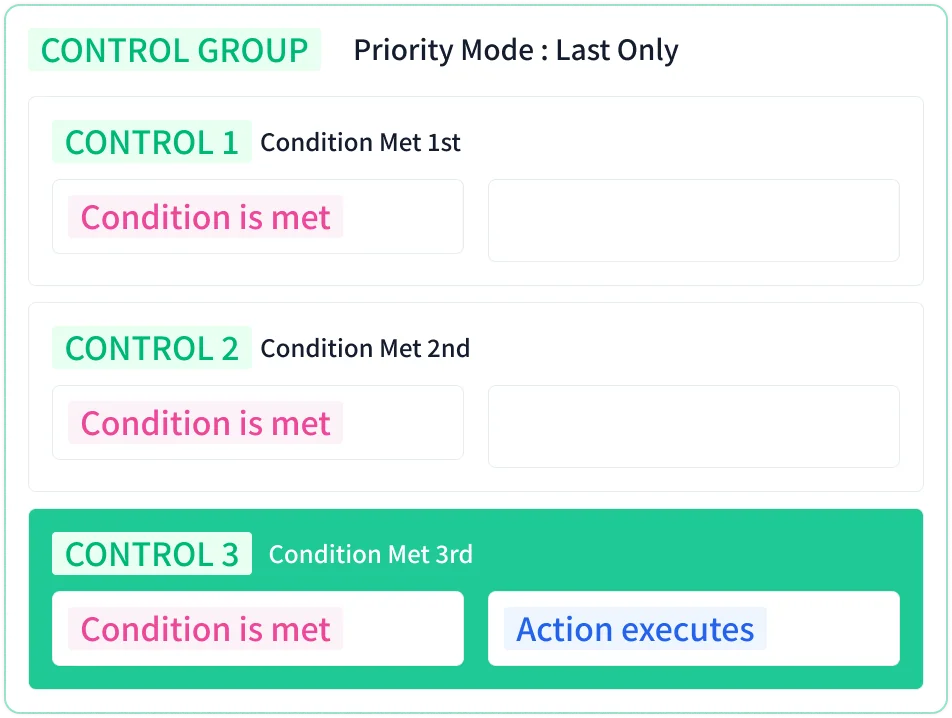
The control whose condition was met last takes precedence, and any currently running control is stopped immediately.
- After the last control's actions complete, if its condition is no longer met, the control that met its condition before it executes.
- Which control executes is determined by the order in which the conditions were met.
Common Settings and Management
Enabled, Name, and Reverse Execution behave the same as for logic. A disabled control group does not execute, and any name can be used. The Reverse Execution field is shown only when the priority mode is None or Priority. Move blocks by drag and drop, and edit, duplicate, copy, cut, or delete them from the right-click menu. Deleting a group also deletes all blocks it contains, and they cannot be recovered. See Common Block Operations for details.