Variables
A variable is a store that data is read from and written to, and it is global: logic, devices, and dashboards across the whole project share it. For example, if a numeric variable named “temperature” holds the value read from a temperature sensor, both logic and dashboards can read that value.
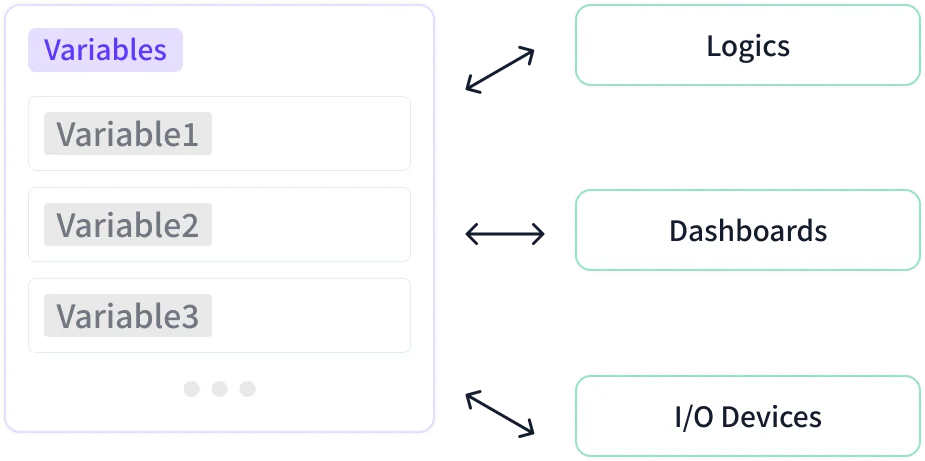
Create and manage project-wide variables in Settings → Variable. When creating a variable, choose one of eight types.
| Type | Stored Value |
|---|---|
| Digital | True or False. Used for buttons, switches, and on/off states. |
| Numeric | Numbers including decimals (8-byte floating point, e.g. 123.456). Used for temperature, distance, and counts. |
| Text | Strings (Unicode UTF-8, so non-Latin scripts and special characters are allowed). Used for names, messages, and status text. |
| Date | A date in year-month-day format (e.g. 2023-03-16). |
| Time | A time of day in hour:minute:second format (e.g. 14:32:30). |
| Duration | A length of time (hours:minutes:seconds:milliseconds), entered down to the millisecond (1/1000 s). Used for delays and timers. |
| ByteArray | Binary data, written in hexadecimal (e.g. FF AA 00 6C 6F). Used for communication protocols and file contents. |
| Color | An RGB color value in HEX form (e.g. #FF0000). Used for LED color control. |
The type can be changed later. Blocks that use the variable adjust to the new type, and connections that no longer match are detached.
Selecting Array stores multiple values of the same type in one variable. Array Dimension supports 1 to 3 dimensions, and the total size (the product of each dimension) must not exceed 65,536. An Initial Value set when creating the variable is applied when execution starts.