Turning On Vehicle Recognition
Vehicle recognition is off by default. When it is on, vehicles and license plates are recognized on every camera in the place.
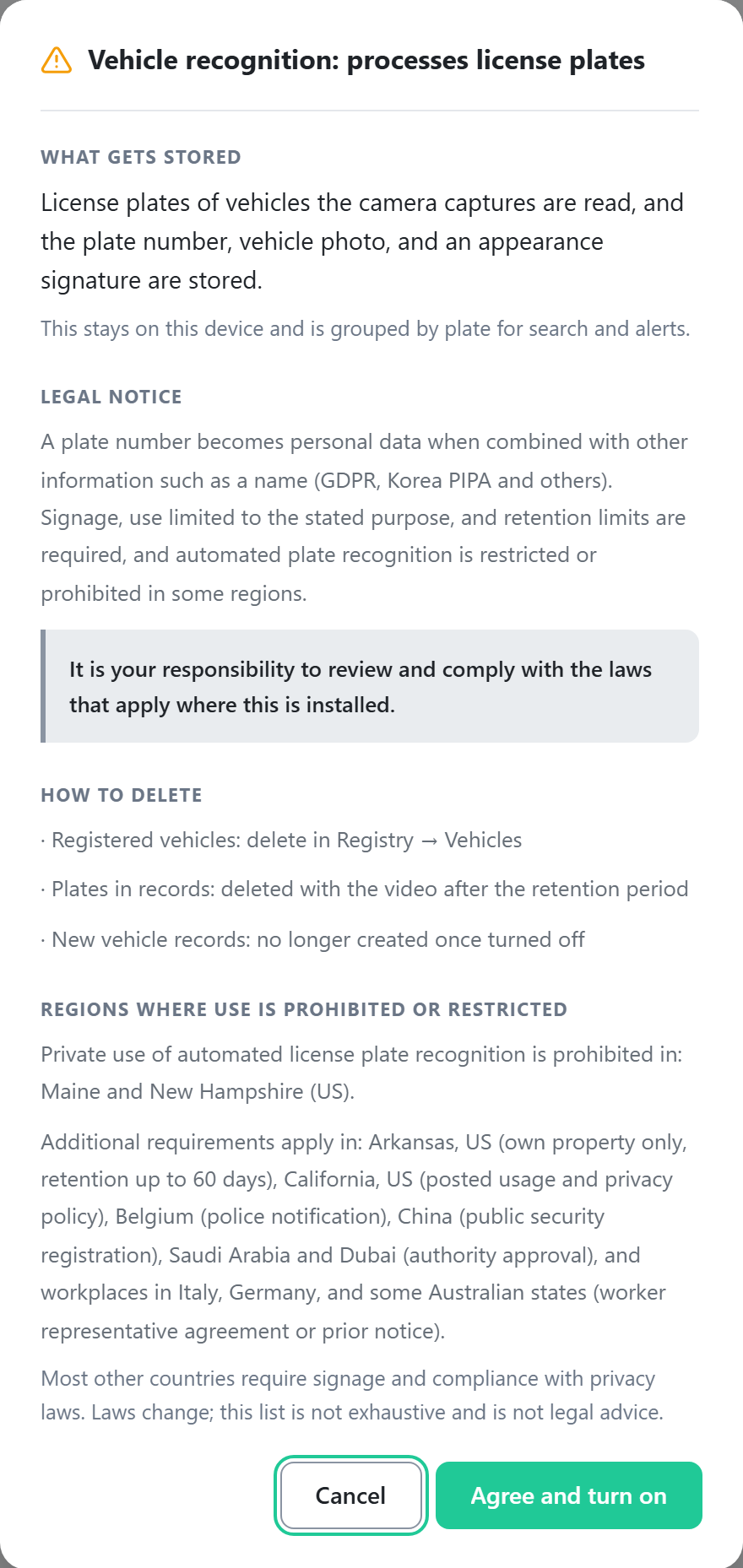
Caution: license plates are processed
With vehicle recognition on, the plate number, a photo, and an appearance signature are stored
for every vehicle the cameras capture. This data remains on this device only.
A plate number becomes personal data when combined with other information such as a name (Korea PIPA, GDPR, and others). Signage, use limited to the stated purpose, and retention limits are required, and automated plate recognition is restricted or prohibited in some regions. You are responsible for verifying and complying with the regulations that apply at the installation site.
A plate number becomes personal data when combined with other information such as a name (Korea PIPA, GDPR, and others). Signage, use limited to the stated purpose, and retention limits are required, and automated plate recognition is restricted or prohibited in some regions. You are responsible for verifying and complying with the regulations that apply at the installation site.
- On the Settings tab, click the Vehicle recognition row.
- Turn on the switch at the top. A license plate processing notice is shown.
- Review the notice and click Agree and turn on.
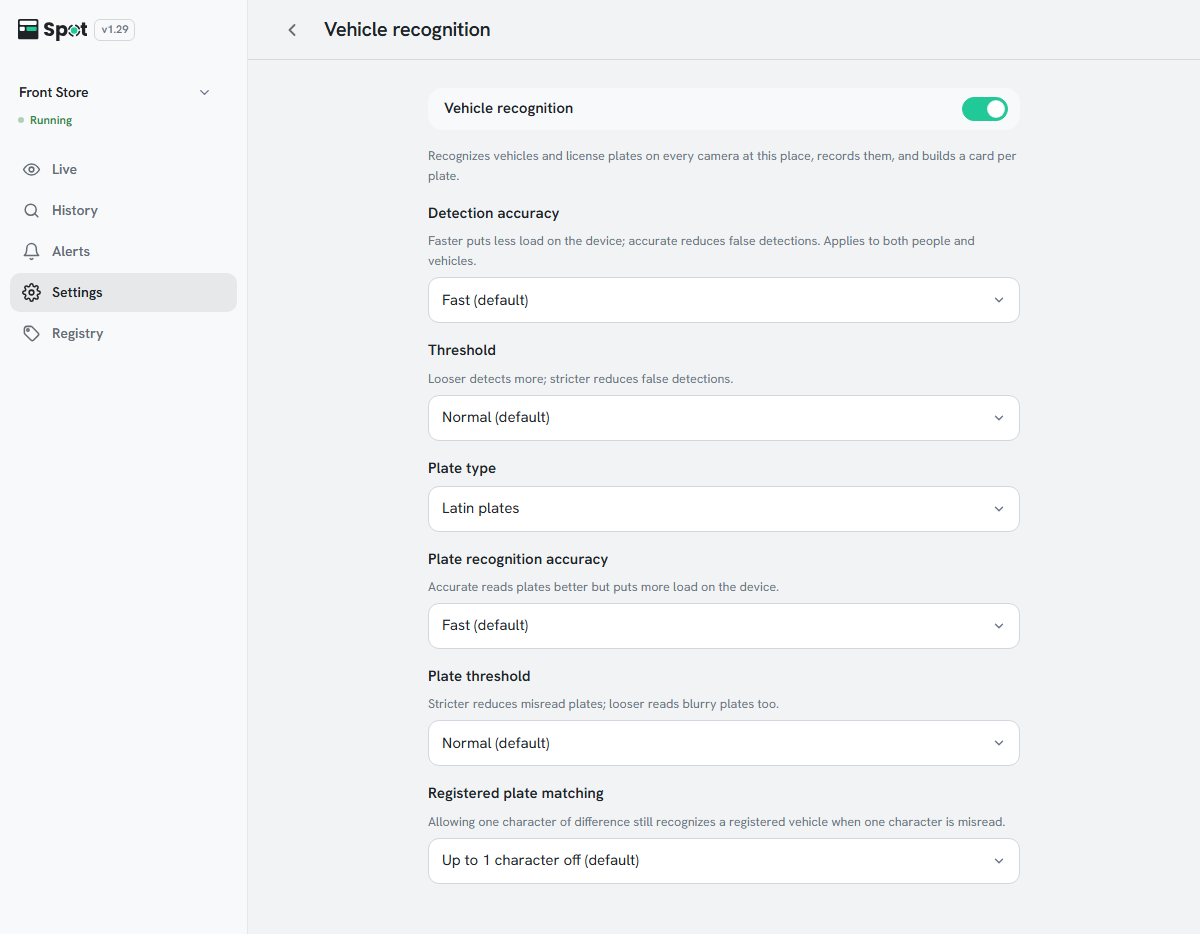
- If needed, choose values for the settings below. The defaults suit most environments.
- Return to the settings list and click Save at the bottom of the screen.
| Setting | What it does | When to change |
|---|---|---|
| Detection accuracy | The precision of the analysis that finds people and vehicles. Shares its value with person recognition. | Accurate when the device has headroom |
| Threshold | The criterion for judging something to be a vehicle. | Strict if things that are not vehicles are detected |
| Plate type | The format of the plates to read. | Match the plates of the country where Spot is installed |
| Plate recognition accuracy | The precision of the analysis that reads plates. Higher precision puts more load on the device. | Accurate if plates are often misread |
| Plate threshold | The criterion for accepting the characters read as a plate number. | Strict if many plates are misread, Loose to read blurry plates too |
| Registered plate matching | How a plate that was read is compared with registered vehicles. | Exact match if other vehicles are mistaken for registered ones |
Note
Detection accuracy shares its value with person recognition; changing it on one screen changes it on the other.
With vehicle recognition on, Vehicles appears on the History tab and the Registry tab appears in the sidebar.
Options and defaults for each setting
- Detection accuracy: Fast (default), Balanced, or Accurate.
- Threshold: Loose, Normal (default), or Strict.
- Plate type: Korean plates or Latin plates. The initial choice follows the display language (Korean plates for Korean).
- Plate recognition accuracy: Fast (default) or Accurate.
- Plate threshold: Loose, Normal (default), or Strict.
- Registered plate matching: Up to 1 character off (default) or Exact match. Allowing one character of difference still recognizes a registered vehicle when one character is misread.
Turning vehicle recognition off
- Vehicle alerts pause, and the alert list shows Stopped: vehicle recognition is off. Turning it back on restores them.
- Registered vehicles and saved records are not deleted.
- At least one of person, face, and vehicle recognition must stay on, so the switch cannot be turned off while vehicle recognition is the only one on.