Accuracy and Speed
The defaults are sufficient for most environments. Adjust them only when detection behaves differently from what you expect.
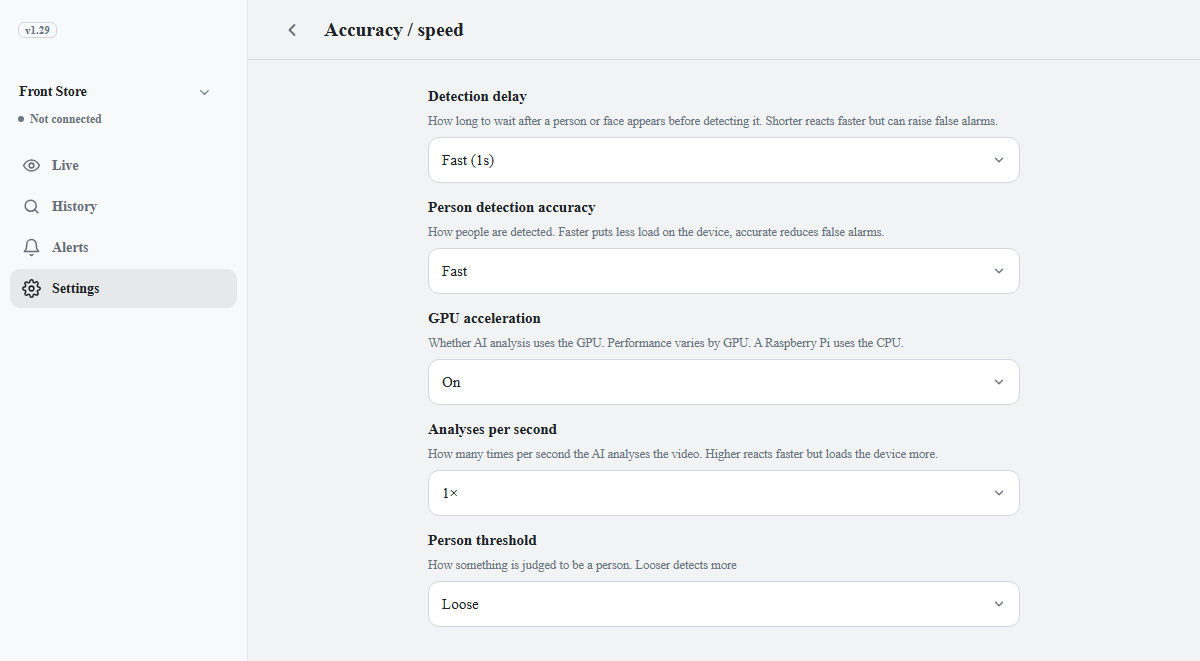
| Setting | Description | Guidance |
|---|---|---|
| Detection delay | How long to wait after a person or face appears before counting it as detected. The same time is waited after the person leaves before recording ends. Choose Fast (1s) (default), Normal (3s), or Only when certain (5s). | Only when certain if false alarms occur |
| Person detection accuracy | The precision of the AI analysis: Fast, Balanced, or Accurate. Higher precision is slower. | Fast on a Raspberry Pi, Accurate on a PC or Jetson |
| GPU acceleration | Runs analysis on the GPU. Devices without a usable GPU run on the CPU regardless of this setting. | Off on integrated or older graphics |
| Analyses per second | How many times per second the AI analyzes the video: 5 to 10, with the lowest value, 5, as the default. If the camera is slower, the camera's rate applies. | Raise it only when the device has headroom |
| Person threshold | The criterion for judging a target as a person: Loose, Normal, or Strict. Does not affect speed. | Strict if mannequins or posters are detected |
| Face threshold | The similarity required to match a registered person. Shown only while face recognition is on. | Strict if people are confused with each other |
| Minimum face size | Faces captured smaller than this are not recognized. Choose Slightly smaller (60px), Normal (80px), Slightly larger (96px), or Large faces only (112px). Shown only while face recognition is on. | Default is Normal. Use Slightly smaller for ceiling cameras, where faces are captured small |
Note
If cameras are currently configured with different values, the screen shows one of them.
Changing a value on this screen and saving applies the same settings to all cameras.