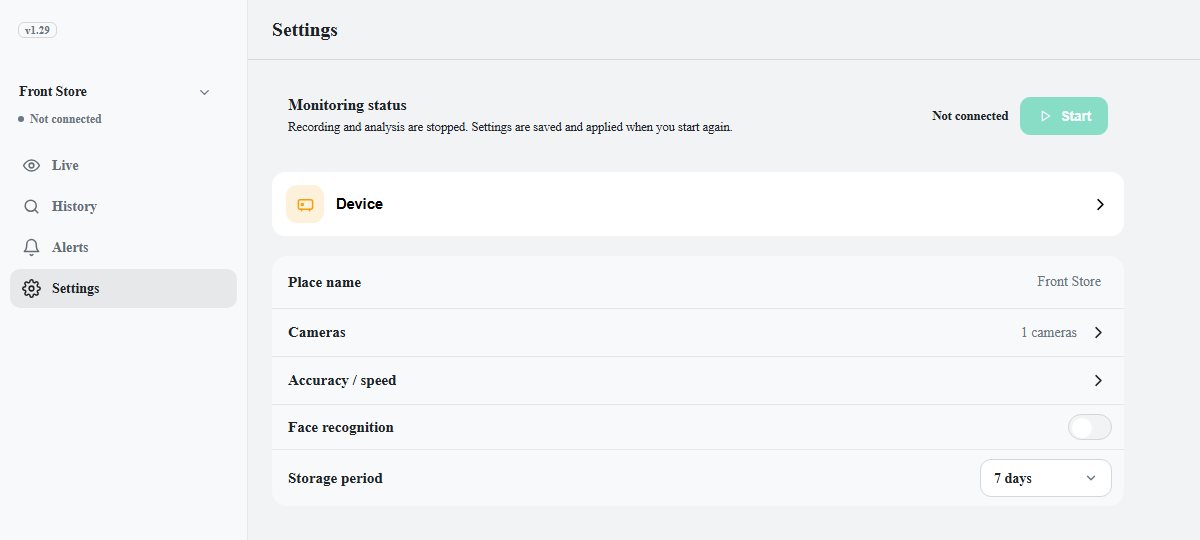
| Status | Starts and stops recording and analysis. Shows the current status with a Start or Stop button. |
| Device | The name and model of the connected device. Clicking it opens Device Manager. |
| Place name | The place name shown on screen. Saved as soon as input is complete. |
| Cameras | Adds, edits, removes, and switches cameras on and off. Shows the number of cameras. |
| Accuracy / speed | Sets the speed and precision of the AI analysis. |
| Face recognition | Turns face recognition on and off and manages registered faces. Shows On · n people or Off. |
| Indexing | Sets how often and how fast people are found in saved footage. The quality of search and of the People cards depends on this. |
| Storage | Sets the storage period, the free space to keep, and the storage folder. |
| Account | Shown on a phone only. The account menu. |