Indexing Settings
Adjust the quality of search and of the People and vehicle cards. Indexing is the work of finding people and vehicles in saved footage so they can be searched. Only indexed recordings appear in search results. The defaults suit most environments.
- On the Settings tab, click Indexing.
- Choose a value for the item you want to change.
- Return to the settings list and click Save on the save bar at the bottom of the screen.
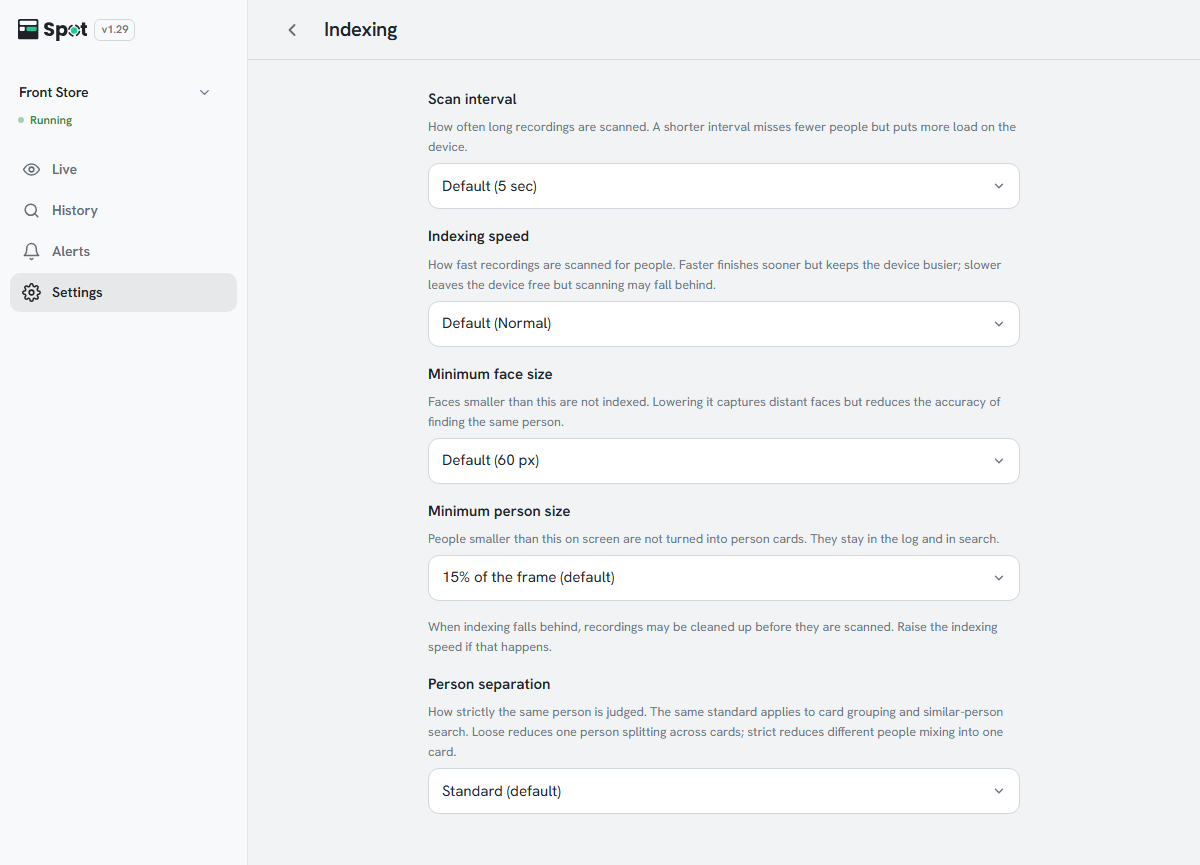
| Setting | What it does | When to change |
|---|---|---|
| Speed | How fast indexing runs. Faster keeps the device busier. | Fast when the device has headroom |
| Minimum face size | Faces smaller than this are not indexed. | Lower when faces are captured small |
| Minimum person size | People captured smaller than this share of the frame are not indexed. They stay in recordings but do not appear in People cards or in similar-person search. | Lower to card distant people too |
| Minimum vehicle size | Vehicles captured smaller than this share of the frame do not appear in vehicle cards or search. | Lower to card distant vehicles too |
| Same-vehicle threshold | How strictly two vehicles count as the same one when finding similar vehicles. Vehicle cards are grouped by plate, so they are not affected by this value. | Strict if other vehicles are mixed into the results |
| Same-person threshold | How strictly two captures count as the same person. | See the table below |
Same-person threshold
This single value applies both to how People cards are separated and to how similar people are found by face or appearance. For cards, it applies to footage indexed after the change; existing cards are not regrouped.
| Choice | Use when |
|---|---|
| Loose | One person appears scattered across several cards |
| Standard (default) | Most environments |
| Strict | A card contains more than one person |
Caution
When indexing falls behind, recordings may be cleaned up before they are scanned. Raise
Speed under Settings > Indexing if that happens.
Options and defaults
- Speed: Very slow, Slow, Normal (default), or Fast.
- Minimum face size: 40, 50, 60, or 80 px. The default is 60 px.
- Minimum person size: No limit or 20, 22, 25, 28, or 30% of the frame. The default is 25%. A place saved earlier with another value keeps showing that value.
- Same-person threshold: if the row reads Custom, a stored value matches none of the three levels; selecting a level replaces it.
- Minimum vehicle size: No limit or 5, 10, 15, 20, or 25% of the frame. The default is 10%.
- Same-vehicle threshold: Loose, Normal (default), or Strict.
- Minimum person size is shown only while person recognition is on, minimum face size only while face recognition is on, and the two vehicle settings only while vehicle recognition is on.