Color
Blocks that create color values and extract their components. RGB components range from 0 to 255; in HSV, hue (H) ranges from 0 to 360 and saturation (S) and value (V) from 0 to 100.
Color Picker

Outputs the color constant chosen from the color picker (palette).
- Input: none
- Output: color [Color]
Random Color
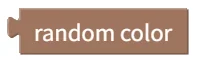
Generates a random color.
- Input: none
- Output: color [Color]
RGB Color
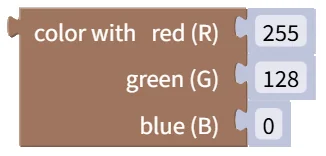
Creates a color from red (R), green (G), and blue (B) values. Each value ranges from 0 to 255. Example: red 255, green 0, blue 0 → red
- Input: red (R) [Number], green (G) [Number], blue (B) [Number]
- Output: color [Color]
HSV Color
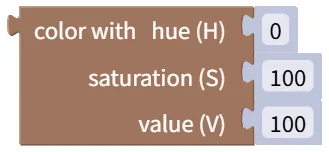
Creates a color from hue (H), saturation (S), and value (V). Hue ranges from 0 to 360 degrees; saturation and value range from 0 to 100. Example: hue 0, saturation 100, value 100 → red
- Input: hue (H) [Number], saturation (S) [Number], value (V) [Number]
- Output: color [Color]
Blend Colors
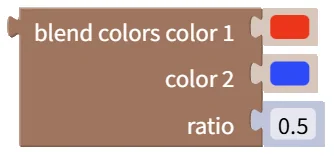
Blends two colors at the specified ratio (0.0 to 1.0). A ratio of 0 gives the first color and 1 gives the second. Example: red and blue blended at 0.5 → purple
- Input: color 1 [Color], color 2 [Color], ratio [Number]
- Output: blended color [Color]
Get RGB Component from Color

Extracts the selected red (R), green (G), or blue (B) component from a color. The return value ranges from 0 to 255. Example: red (R) of the color red → 255
- Input: color [Color]
- Output: component value [Number]
Get HSV Component from Color

Extracts the selected hue (H), saturation (S), or value (V) component from a color. Hue ranges from 0 to 360; saturation and value range from 0 to 100. Example: hue (H) of the color red → 0
- Input: color [Color]
- Output: component value [Number]