JSON
Parses JSON text, looks up and edits JSON objects and JSON arrays, and converts them back to text. A JSON value is one of boolean, number, string, JSON object, or JSON array (null included) and is written as [JSON Value] in the inputs and outputs. Array positions count from 0, and -1 is returned when nothing is found. The editing blocks return the modified JSON object or array as their output, so write the result to a variable or connect it to the next block to keep using it.
Convert Text to JSON Object

Converts (parses) JSON-formatted text into a JSON object.
- Input: text [Text]
- Output: JSON object [JSON Object]
Find JSON Value by Path

Returns the value at the specified path in a JSON structure. The path follows the RFC 6901 JSON Pointer standard: it starts with a slash (/), descends into object members by name, and into array elements by a number that starts at 0. Example: /students/0/name
- Input: JSON structure [JSON Object or JSON Array], path [Text]
- Output: path value [JSON Value]
For example, in the JSON structure below, the value at path /user/profile/contact/phones/1 is "010-9876-5432". Because phones is an array, the second element has the number 1.
{
  "user": {
    "profile": {
      "name": "Alice",
      "contact": {
        "phones": [
          "010-1234-5678",
          "010-9876-5432"
        ],
        "email": "alice@example.com"
      }
    }
  }
}
Check Member Existence in JSON Object

Returns true if a member with the specified name exists in the JSON object, false otherwise.
- Input: JSON object [JSON Object], member name [Text]
- Output: member existence [Digital]
Get JSON Object Member Value

Gets the value of the member with the specified name from a JSON object.
- Input: JSON object [JSON Object], member name [Text]
- Output: member value [JSON Value]
JSON Object Member Count

Returns the number of members in a JSON object.
- Input: JSON object [JSON Object]
- Output: number of members [Number]
Check if JSON Object is Empty
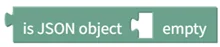
Returns true if the JSON object has no members, false otherwise.
- Input: JSON object [JSON Object]
- Output: empty status [Digital]
JSON Array Size

Returns the size (number of elements) of a JSON array.
- Input: JSON array [JSON Array]
- Output: array size [Number]
Get JSON Array Value at Position

Gets the value at the specified position in a JSON array. Positions start at 0.
- Input: JSON array [JSON Array], position [Number]
- Output: array element value [JSON Value]
Check if JSON Array is Empty

Returns true if the JSON array is empty, false otherwise.
- Input: JSON array [JSON Array]
- Output: empty status [Digital]
Find Value Position in JSON Array

Gets the position where the specified value first appears in a JSON array. Positions start at 0, and -1 is returned if not found.
- Input: JSON array [JSON Array], value to find [JSON Value]
- Output: value position [Number]
Check JSON Value Type

Returns true if the type of the JSON value matches the selected type, false otherwise. The type is boolean, number, string, JSON object, JSON array, or null.
- Input: JSON value [JSON Value]
- Output: type match status [Digital]
Create Empty JSON Object

Creates an empty JSON object with no members.
- Input: none
- Output: empty JSON object [JSON Object]
Add Member to JSON Object
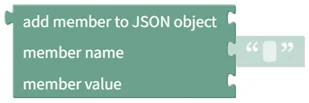
Adds a member with the specified name and value to a JSON object.
- Input: JSON object [JSON Object], member name [Text], member value [JSON Value]
- Output: modified JSON object [JSON Object]
Change JSON Object Member Value
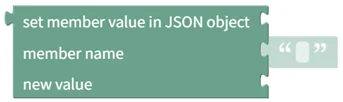
Changes the value of the member with the specified name in a JSON object.
- Input: JSON object [JSON Object], member name [Text], new value [JSON Value]
- Output: modified JSON object [JSON Object]
Delete JSON Object Member

Deletes the member with the specified name from a JSON object.
- Input: JSON object [JSON Object], member name [Text]
- Output: modified JSON object [JSON Object]
Delete All JSON Object Members

Deletes all members from a JSON object.
- Input: JSON object [JSON Object]
- Output: empty JSON object [JSON Object]
Create Empty JSON Array

Creates an empty JSON array with no values.
- Input: none
- Output: empty JSON array [JSON Array]
Add Value to End of JSON Array

Adds a value to the end of a JSON array.
- Input: JSON array [JSON Array], value to add [JSON Value]
- Output: extended JSON array [JSON Array]
Change JSON Array Value
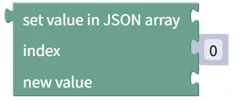
Changes the value at the specified position in a JSON array. Positions start at 0.
- Input: JSON array [JSON Array], position [Number], new value [JSON Value]
- Output: modified JSON array [JSON Array]
Delete Value from JSON Array

Deletes the value at the specified position from a JSON array. Positions start at 0.
- Input: JSON array [JSON Array], position [Number]
- Output: reduced JSON array [JSON Array]
Delete All Values from JSON Array

Deletes all values from a JSON array.
- Input: JSON array [JSON Array]
- Output: empty JSON array [JSON Array]
Convert JSON Object to Text

Converts a JSON object to JSON-formatted text.
- Input: JSON object [JSON Object]
- Output: JSON text [Text]